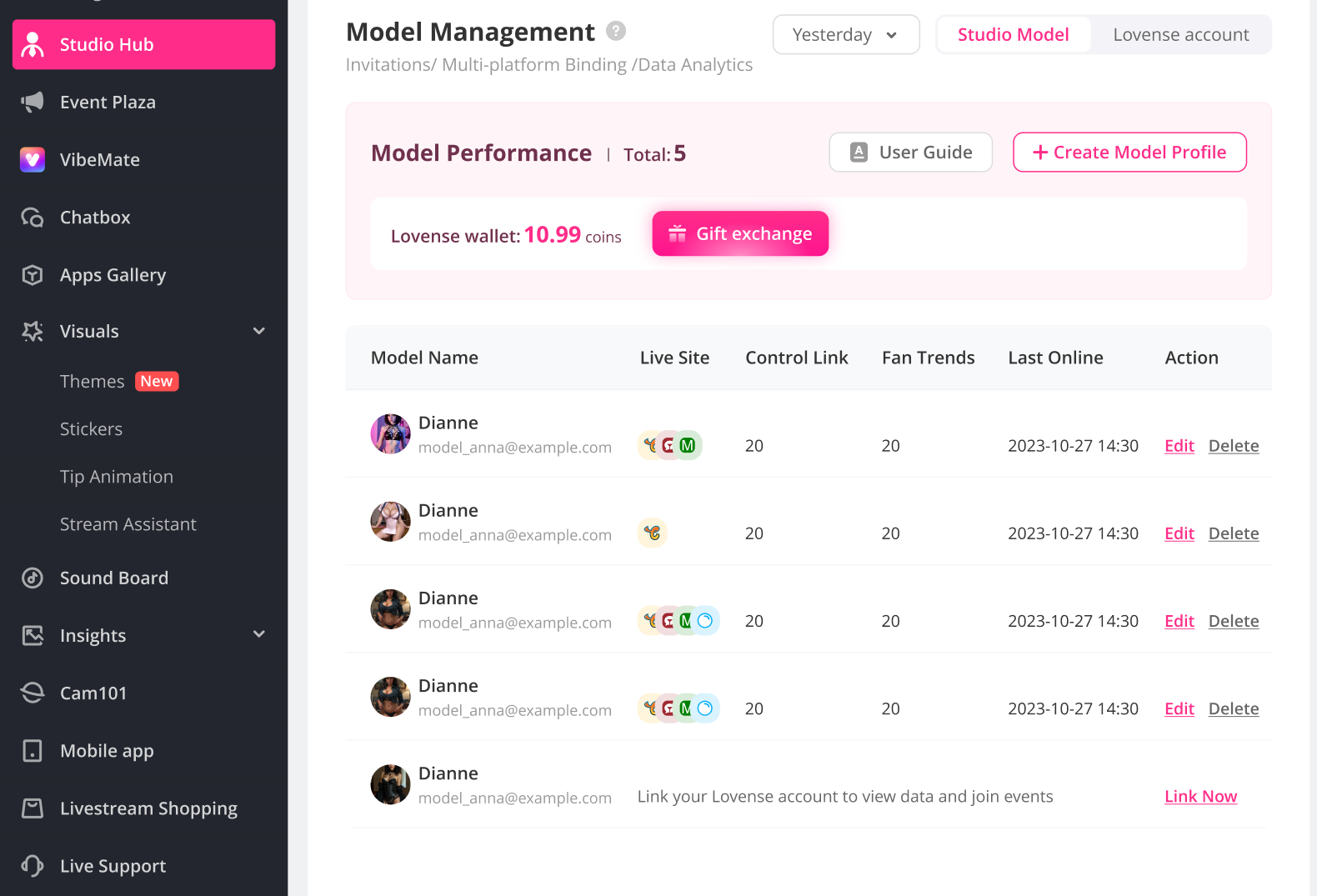
Studio Hub: all-in-one tool for Studio Managers
Monitor Dashboard
Track everything in real time — live models, connected Lovense toys, streaming hours, traffic sources, toy revenue, and control link sales.
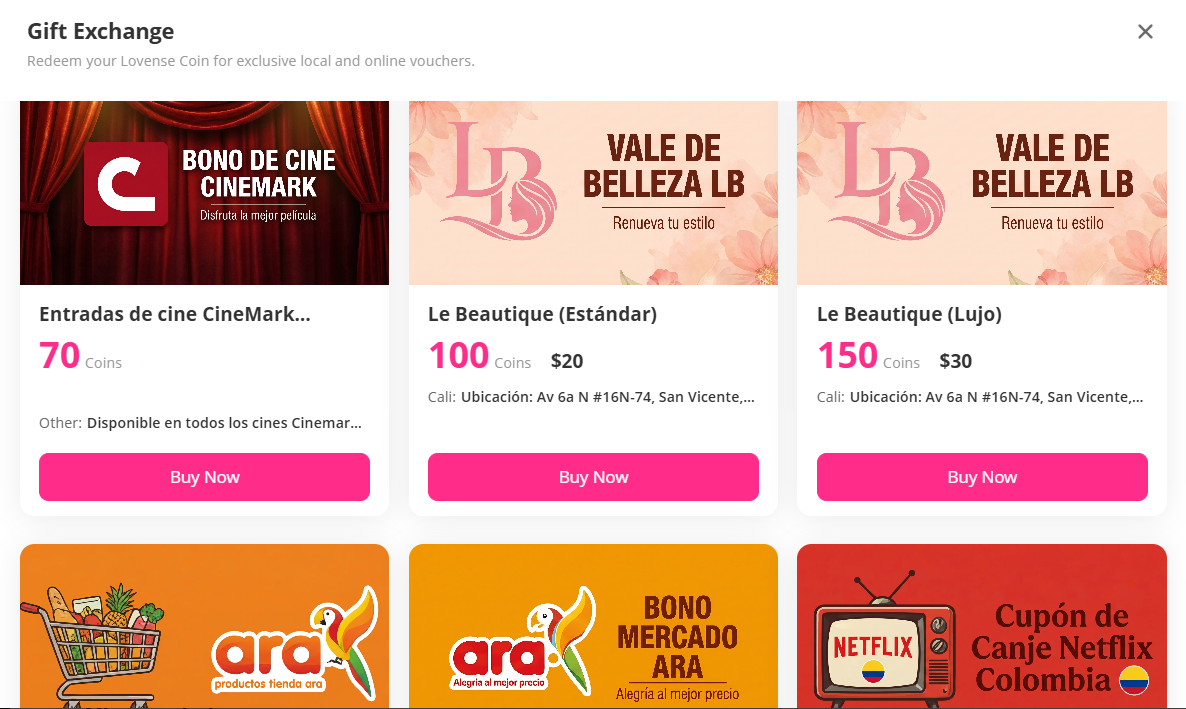
Monitor Wallet (Gifts & Coins Awaits!)
More engagement, more points, more rewards. Earn points when your models join events and win, then redeem them monthly for physical gifts delivered straight to your door.
Gifts and 10 free Lovense Coins in your wallet — guaranteed for every new registration!
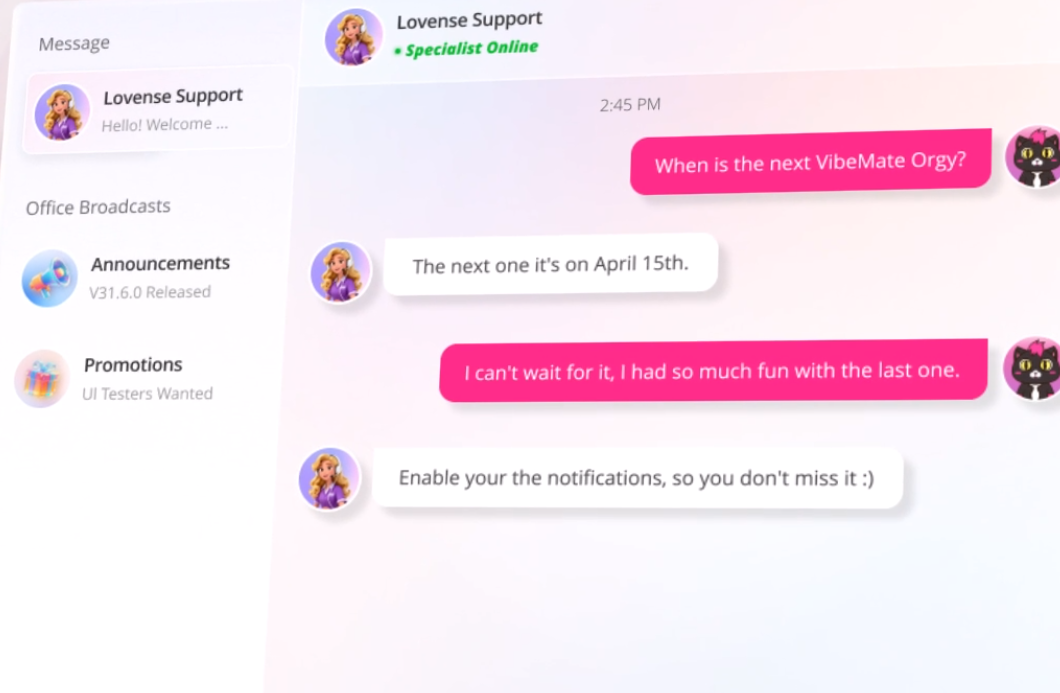
VIP Live Support
Get priority 1-on-1 live chat with our technical team for urgent studio issues, plus 24/7 direct access to Lovense experts whenever you need fast answers. Backed by a complete knowledge hub of tutorial guides from setup to troubleshooting.
Set up your Studio Hub NOW
Step 1: YOUR STUDIO ACCOUNT
- Go on the Lovense Cam Extension. Log in using an independent account. Click the Studio Hub tab.
(If you can't see the Studio Hub, please contact us @Sammy(Whatsapp) | [email protected] or on Live Support for access)
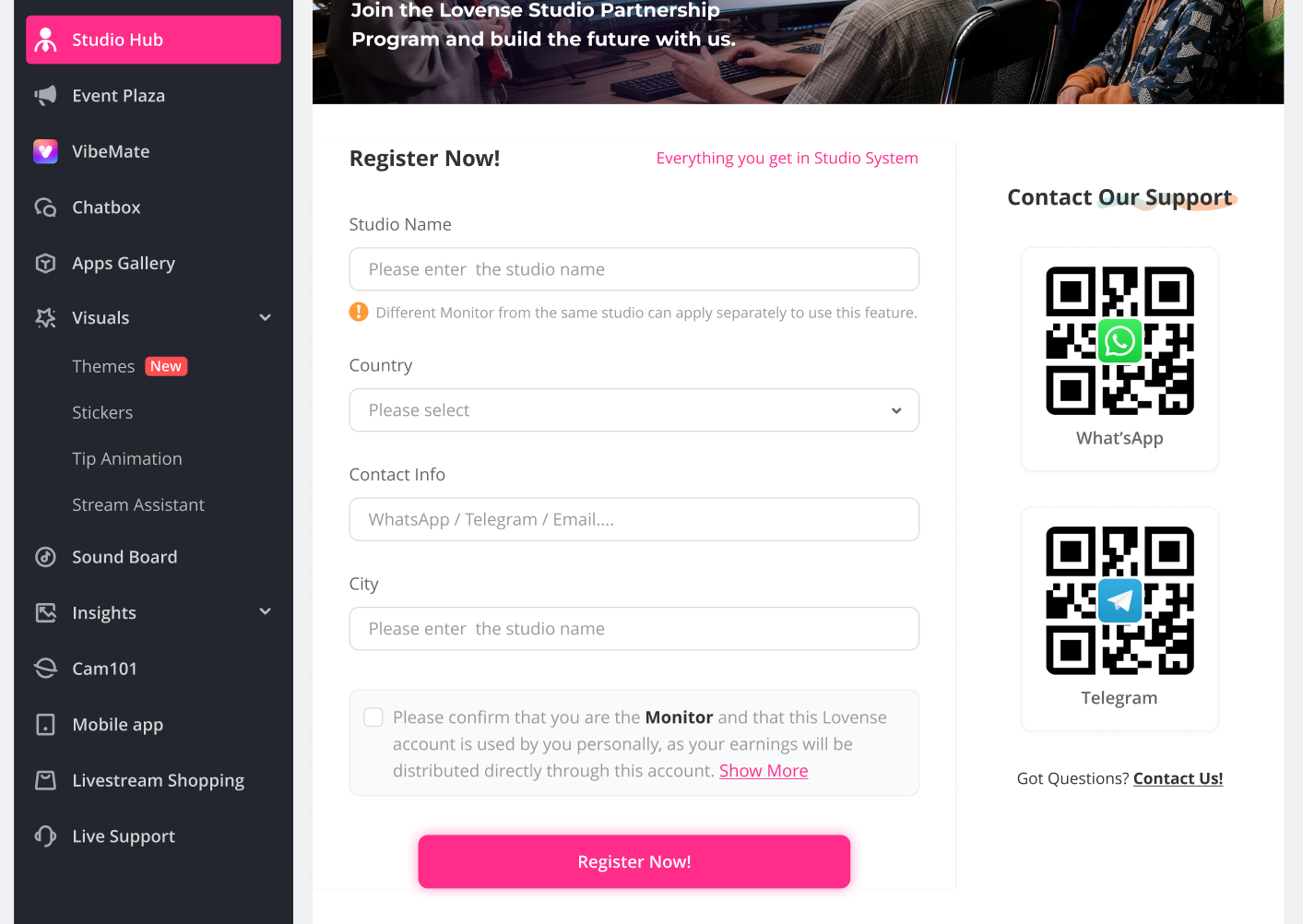
- Click Register Now and fill in your Information. Hit submit. Approval can be instant, just refresh the page after submitting.
Step2: ADD YOUR MODELS
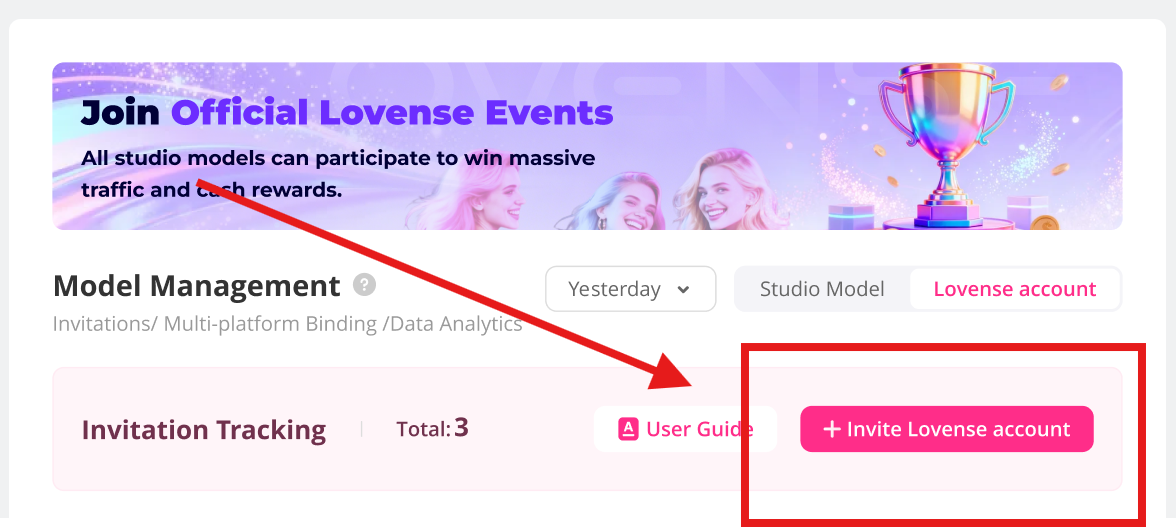
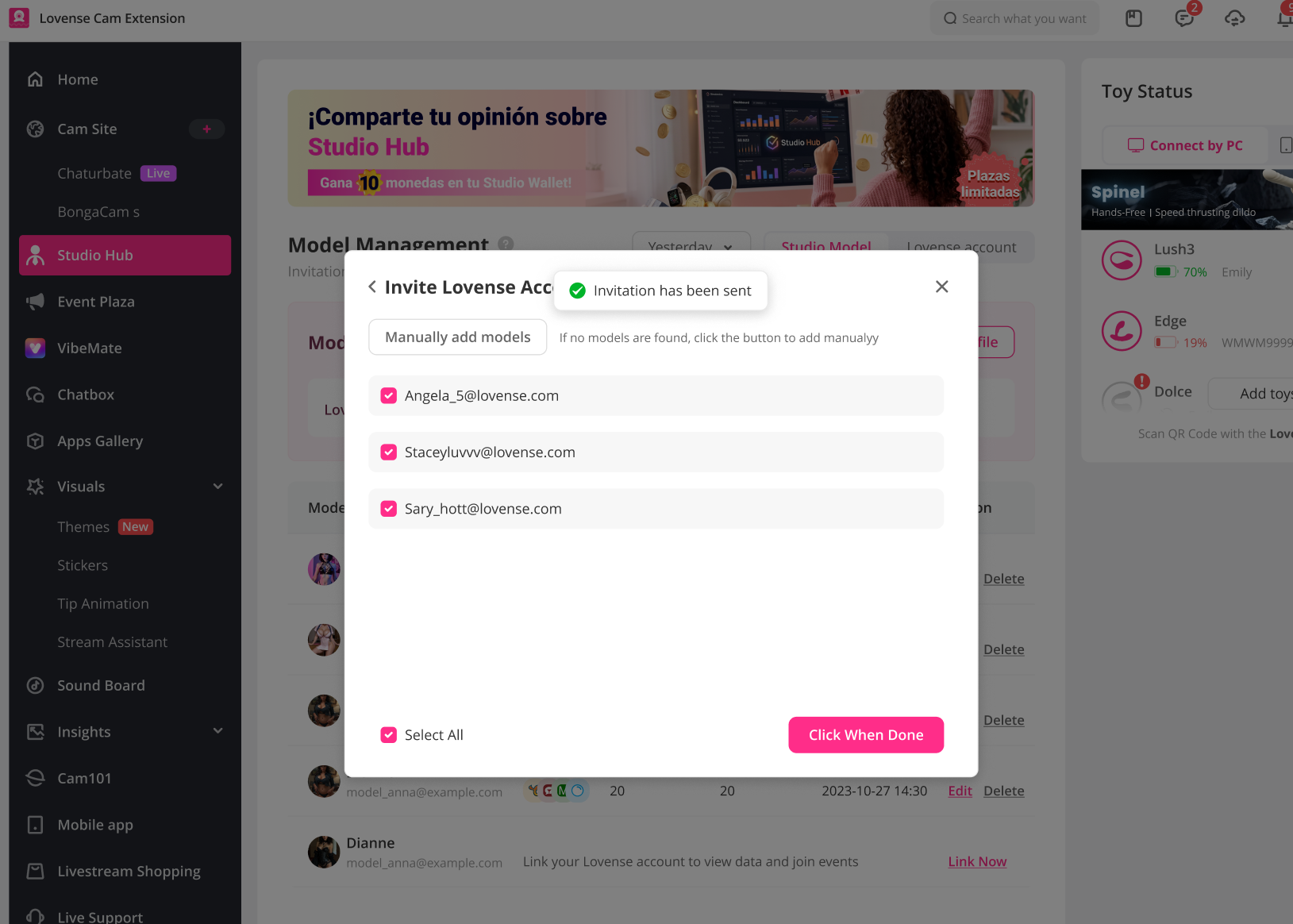
- Go to the Lovense Accounts tab of Studio Hub. Click + Invite Lovense Account. In the popup, choose "Add models manually", type the model's email, then press the pink "Click when ready" bottom.
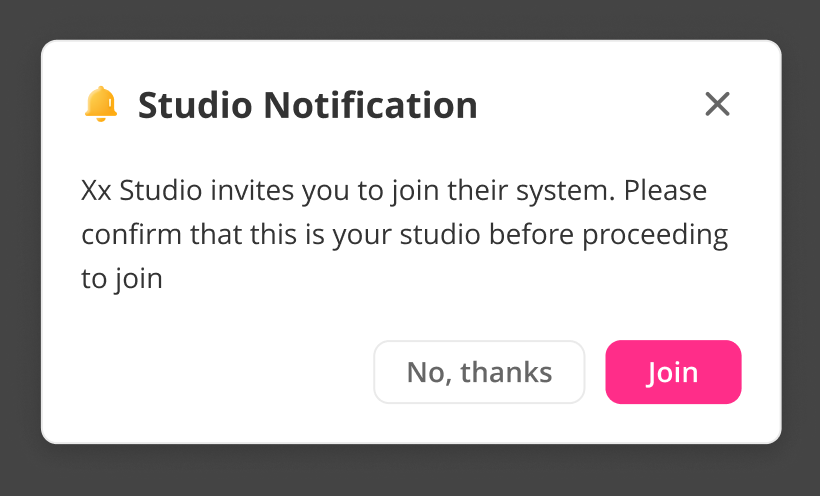
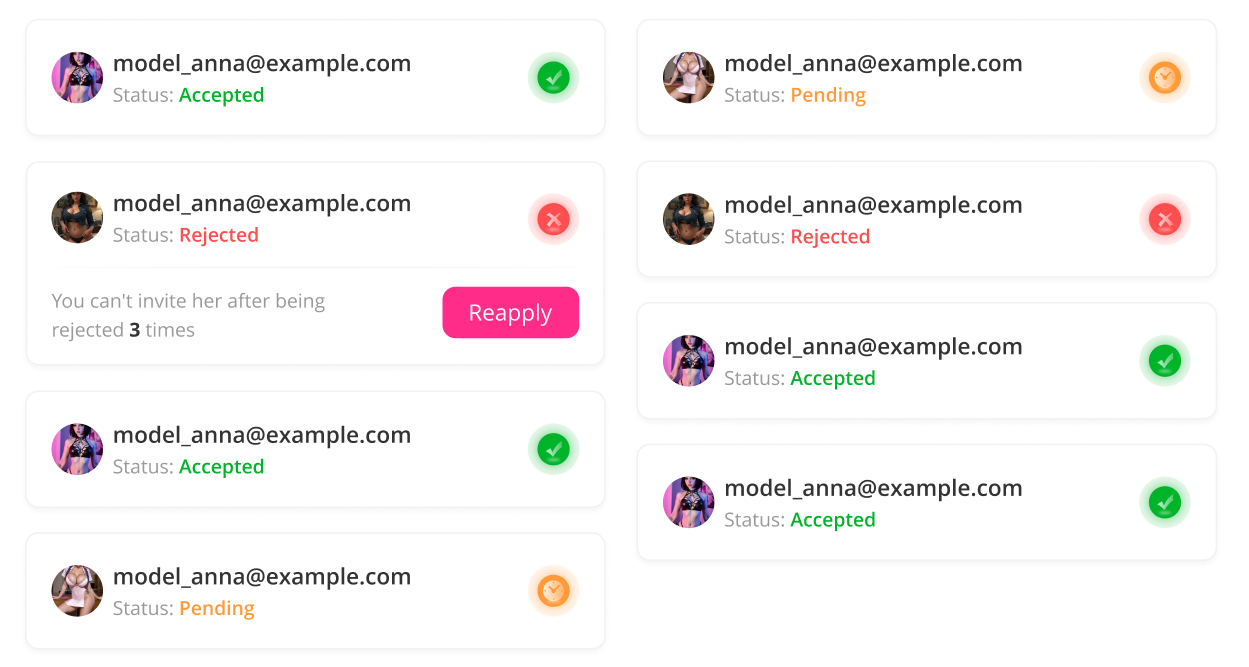
- Your Model receive a Studio Notification in her / his own Cam Extension accounts and must tap the pink JOIN button. Check the status in her / his account. (Green = Accepted; Orange = Pending; Red = rejected)
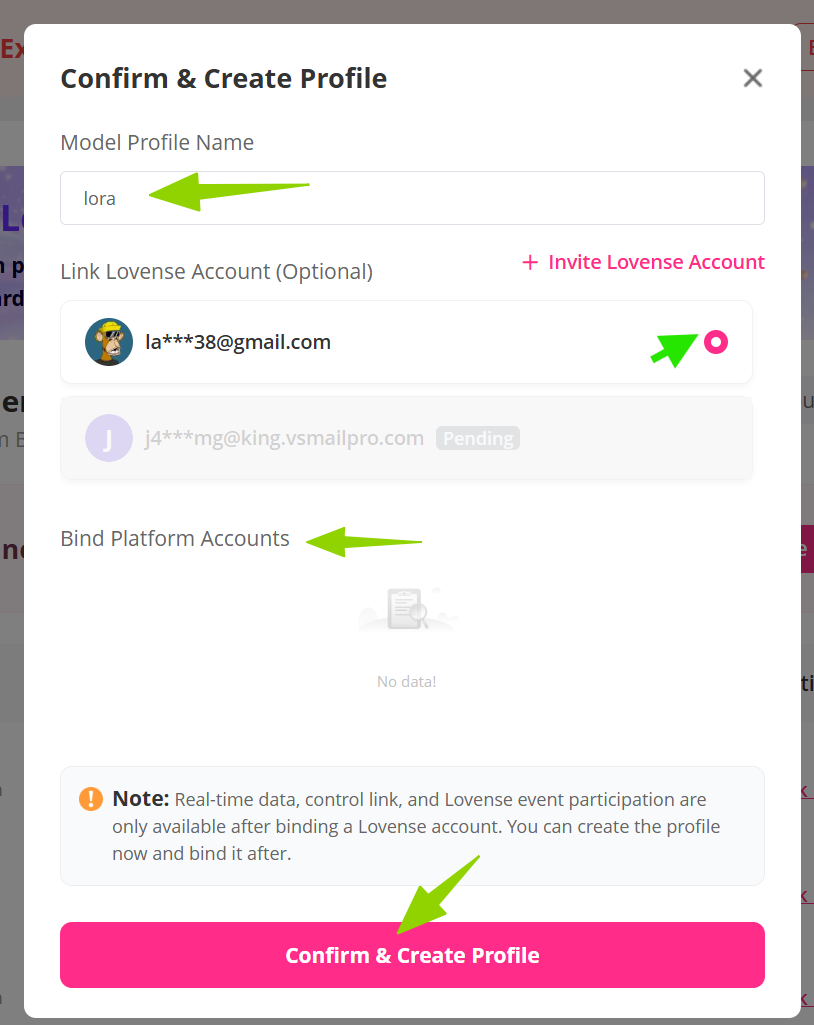
Step 3: CREATE MODEL PROFILES
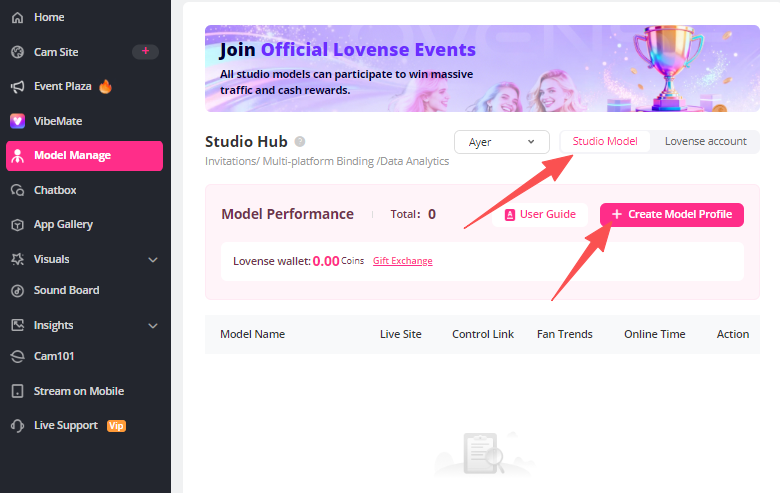
- Go to the Studio Model tab, click the +Create Model Profile. Type your model profile name, then click the email and the camsite you want link. Then click "Confirm & Create Profile"
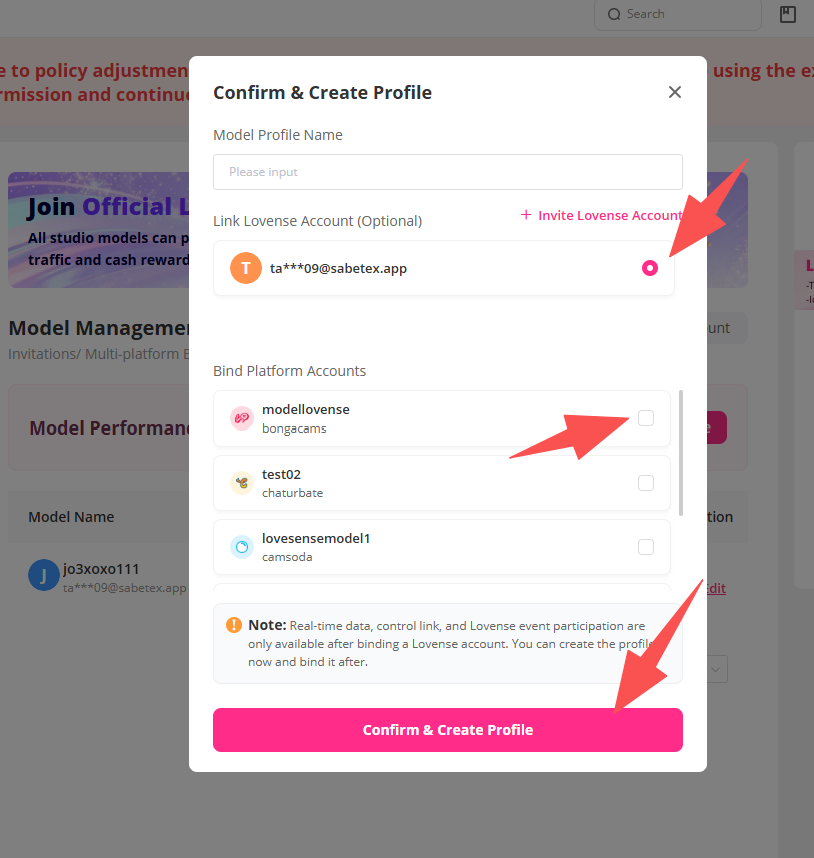
- Each email can be linked to multiple profiles. Type the model profile name, then click the shared email you want link and their camsite accounts. Then click "Confirm & Create Profile".