How to Find Your Room URL and Login Username
April 16, 2026
Here’s a quick step-by-step guide to help you locate your Login Username and Room URL correctly.
Here’s a quick step-by-step guide to help you locate your Login Username and Room URL correctly.
Why do we need these?
- Login Username = The username you use to log into the platform (this is not your display name or nickname).
- Room URL = Your actual live room link (the full web address of your streaming room).
Step 1: Find Your Login Username
- Go to the platform’s website (Chaturbate, Stripchat, etc.)
- Click on Login
- In the login window, you will see the Username field (as shown in the image below)
This is the exact username you need to submit.
Example images:
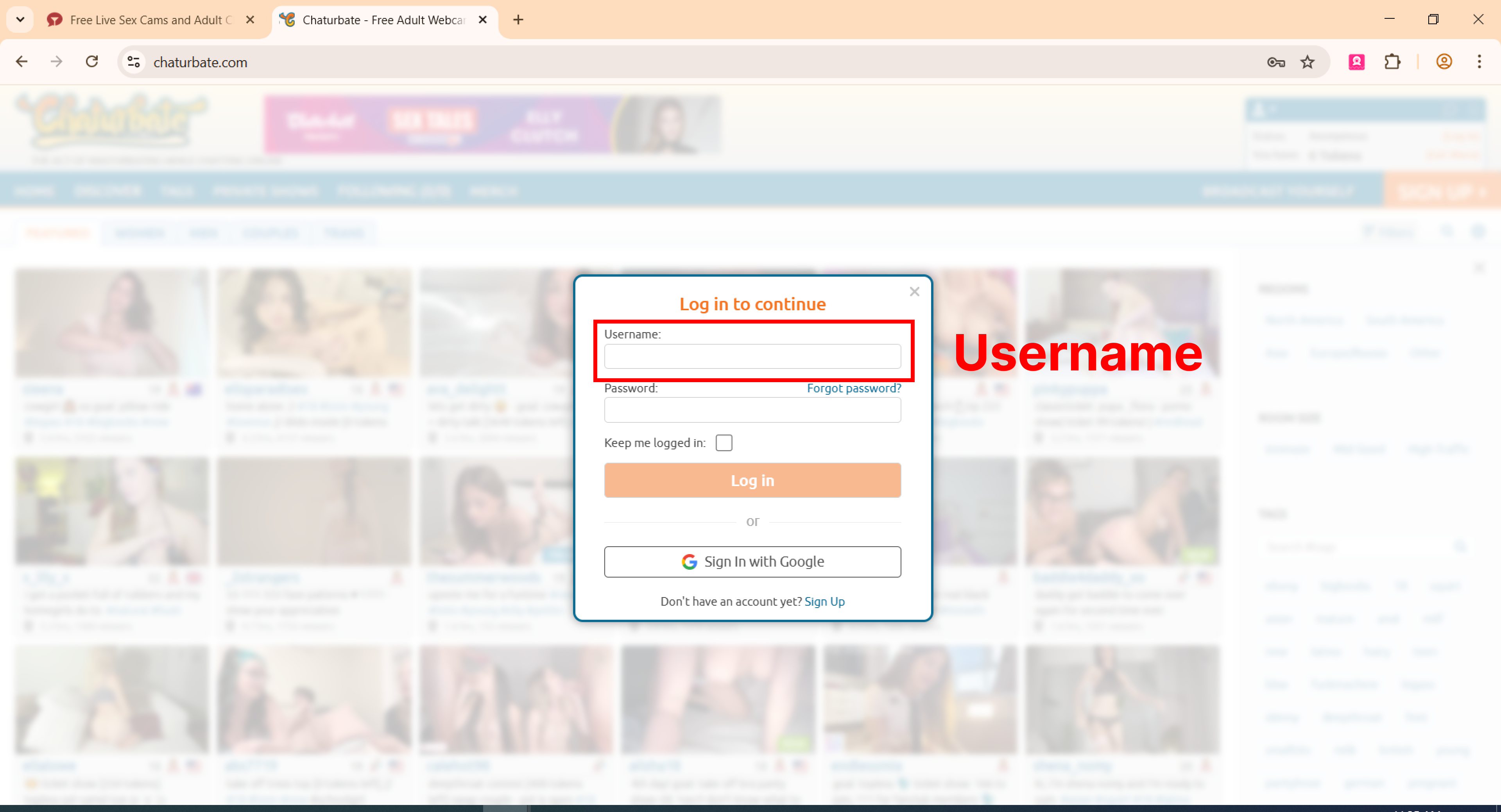
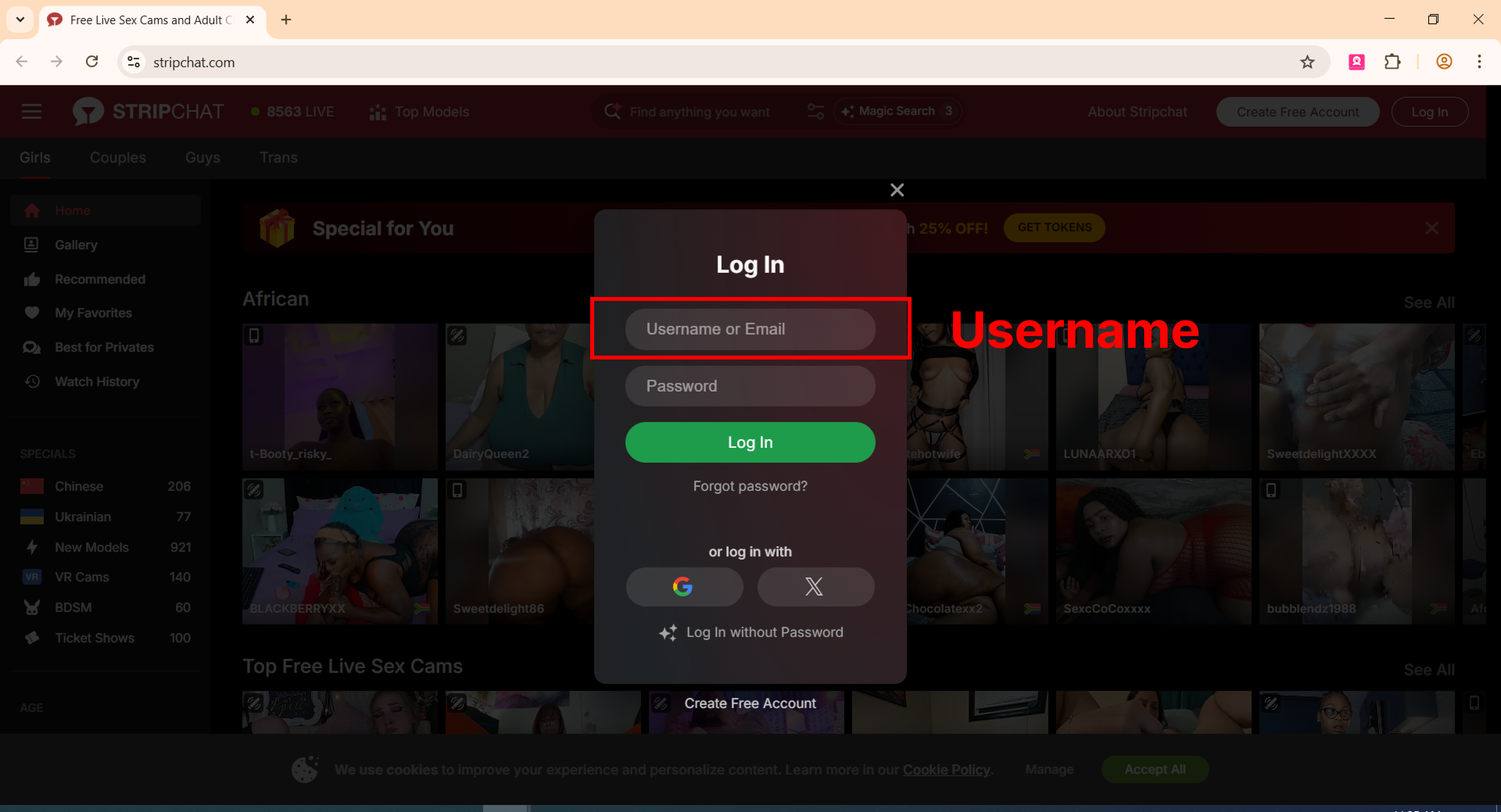
Important: Please use the exact username you enter when logging in (case-sensitive).
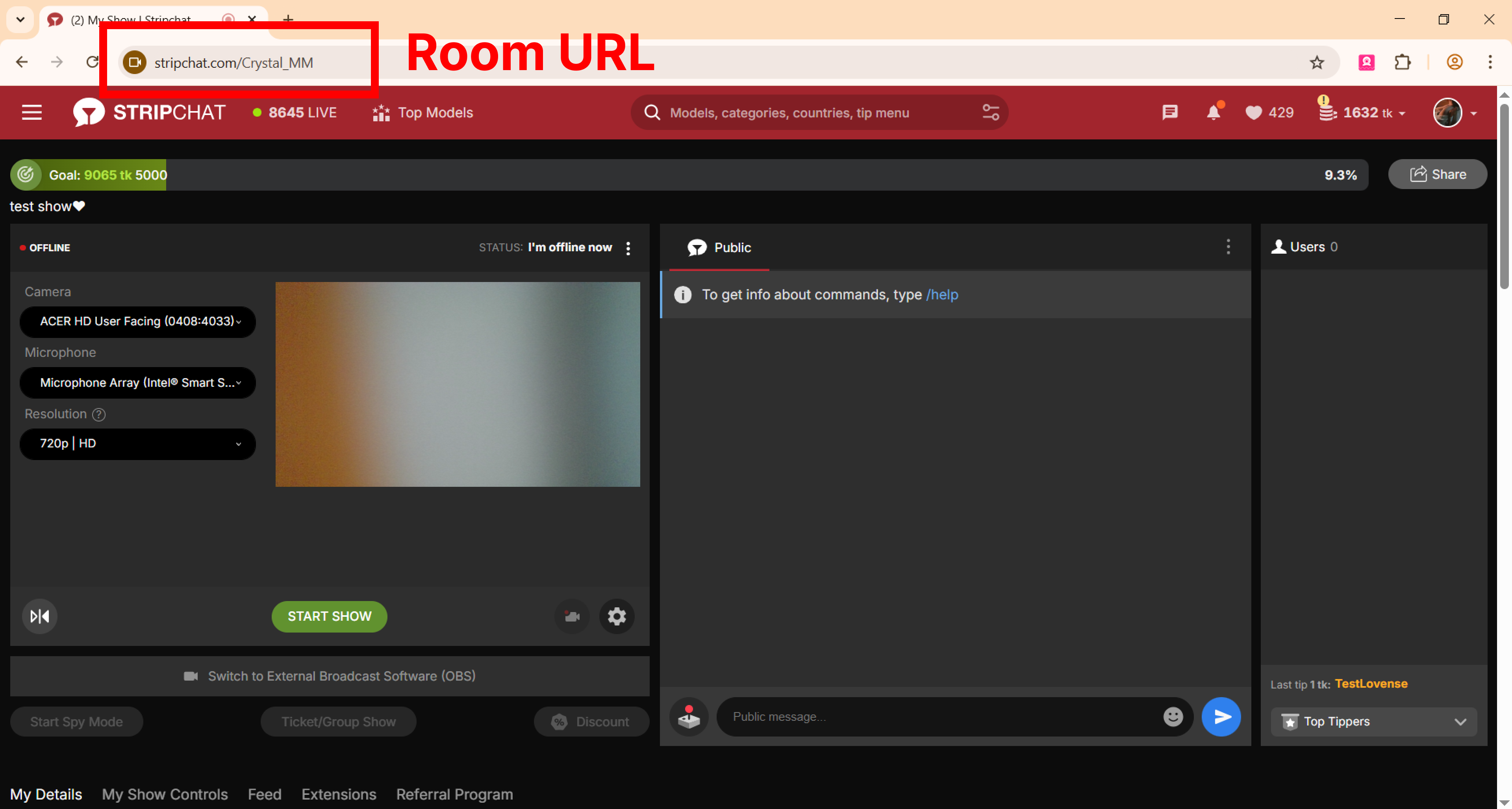
Step 2: Find Your Room URL
- Log into your account
- Go to your live broadcasting page (where you usually start your show)
- Copy the full link from the browser’s address bar at the very top
This is your Room URL.
Example image:
Example:
https://www.chaturbate.com/yourusername/
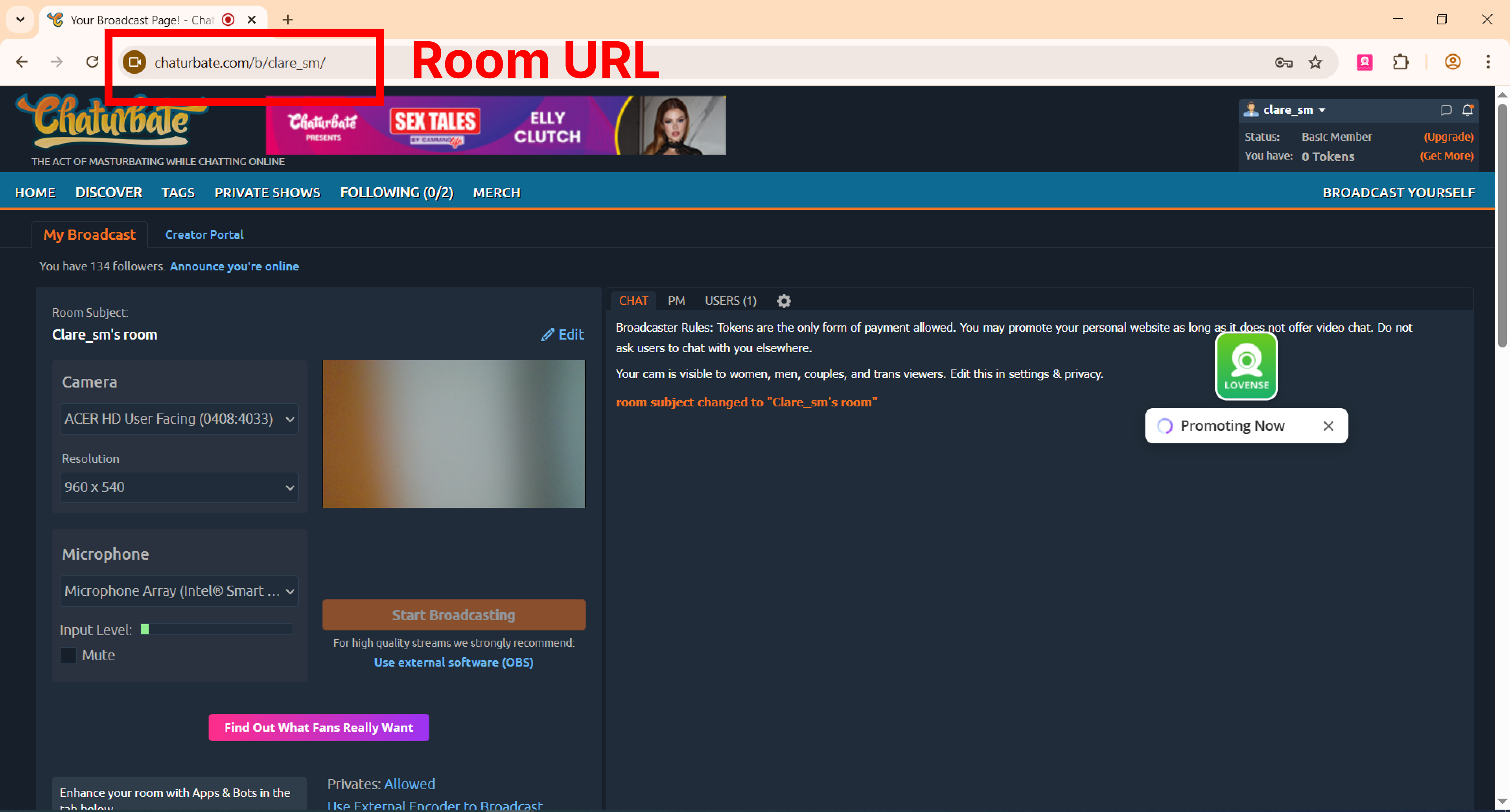
https://stripchat.com/yourusername
Done! Once you have both your Login Username and Room URL, please fill them into the registration form.
Tips:
- Double-check that the Room URL opens directly to your room
- Username must be exactly as it appears when you log in
Related Posts



Get more insights